
The Secret Rule for Your Website: When to Use a ‘Post’ vs. a ‘Page’
Have you ever stared at the WordPress dashboard, wondering whether to click “Add New Post” or “Add New Page?” You’re not alone. This is one of the most common points of confusion for website owners, and it can leave your site feeling disorganised and difficult for your visitors to navigate.
The good news? There’s no secret rule that everyone else knows and you don’t. There’s just a simple, powerful guideline based on a piece of timeless wisdom: purpose and time.
The simplest way to think about it is this: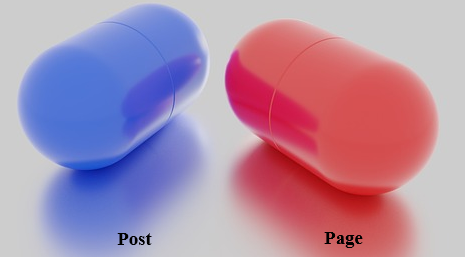
- A Post is a news article.
- A Page is a chapter in a book.
The Purpose of a Post
A post is for timely, dynamic content that is part of a stream of updates, like a blog. This content is meant to be read now, and while it can be evergreen, it often relates to a specific moment or a series of thoughts.
- It’s Time-Sensitive: Posts are dated and are meant to be a recent update. They appear in reverse-chronological order on your blog page.
- It’s Categorised: Posts are organised by categories and tags (e.g., a post about “workplace meditation” might be in the ‘Mindfulness’ category and tagged with ‘productivity’).
- It’s Shareable: Posts are perfect for sharing on social media and for driving new traffic to your site.
Examples: A new article about the benefits of meditation, a tutorial on a productivity hack, a company news announcement, or a special offer.
The Purpose of a Page
A page is for timeless, static content that forms the foundational structure of your website. These are the pillars of your site that visitors should be able to find easily at any time.
- It’s Timeless: Pages do not have a publish date because the content is meant to be relevant for as long as your website exists.
- It’s Foundational: Pages make up your main navigation menu. Think of your homepage, your “About Us” page, and your contact form.
- It’s Hierarchical: Pages can be organized into a hierarchy, with parent pages and child pages (e.g., a main “Services” page with sub-pages for specific services).
Examples: Your “About Us” page, “Contact” page, “Privacy Policy,” or a description of your services.
The Simple Question to Ask Yourself
To decide where your content belongs, just ask this one question:
“Is this a static, permanent part of my website’s main structure, or is it a timely update that belongs in a stream of other updates?”
- If it’s permanent and foundational, create a Page.
- If it’s a timely update for your readers, create a Post.
Beware: The Crucial Step When You Convert Post to Page
What if you discover you’ve used the wrong one? You can easily convert a post to a page (or vice-versa), but there’s one critical step you must not forget: redirection.
When you move content, you are changing its URL. If you don’t set up a redirect notice to those Google Search Bots, anyone who tries to visit the old link will get a “404 – Page Not Found” error. This is a bad user experience and hurts your search engine rankings.
The easiest way to fix this is by using a free plugin like “Redirection” which I use. Before you delete the old item, simply create a 301 (a coded instruction to your WordPress site) redirect that sends visitors from the old URL (internet address) to the new one, and your hard-earned SEO value will stay intact.
Happy blogging!


